Toolkit for ClickUpAdd to Chrome

ClickUp, the way your team wishes it worked

The fixes ClickUp users vote for most, working in your ClickUp in a minute.

Add to ChromeNo sign-up needed
Relationship tablesToolkit

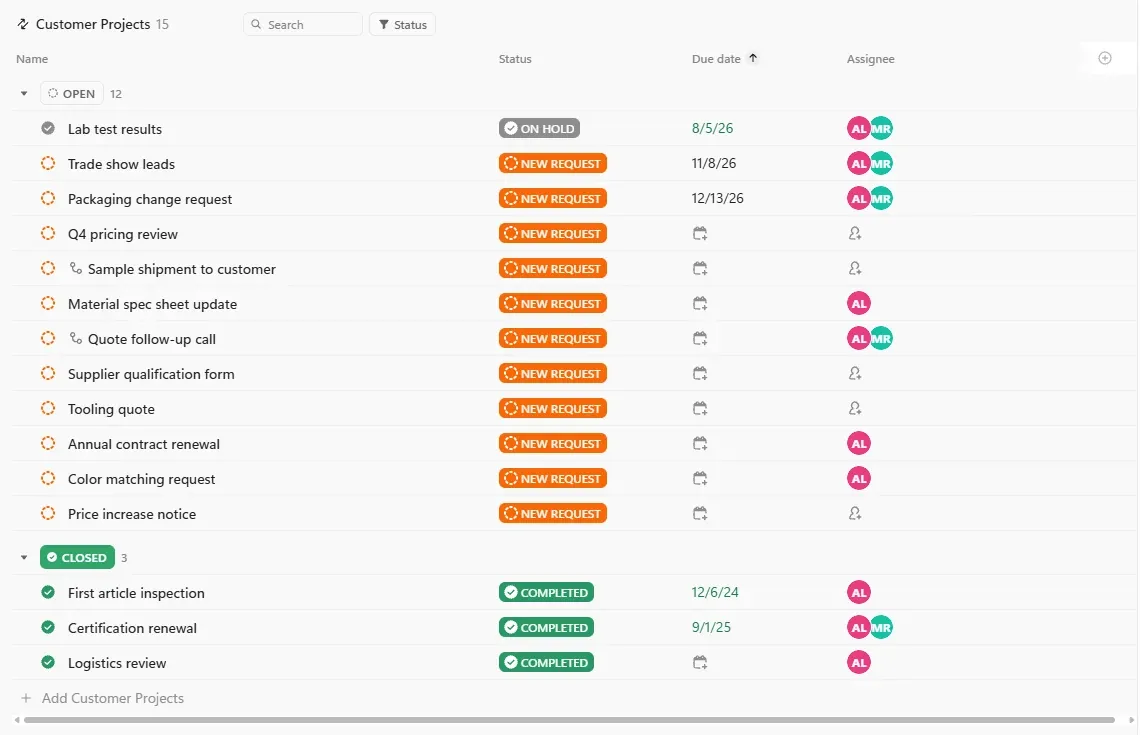
Open on top. Closed out of the way.

Every relationship table splits into Open and Closed groups. Collapse the closed ones and sort any column.

Requested on ClickUp's feedback board · 1,482 votes
A ClickUp relationship table with an Open group of twelve tasks above a collapsed Closed group of three

FiltersToolkit

Filter any column

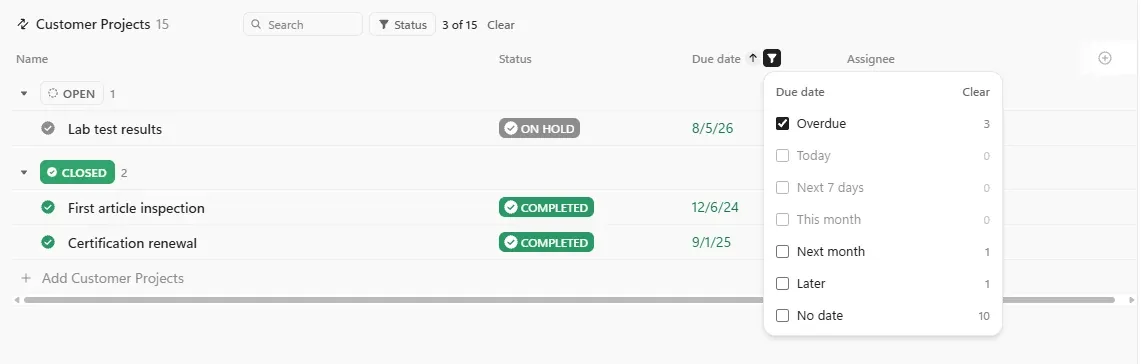
Due date, status, assignee or any custom field, with a count next to every choice.

Requested on ClickUp's feedback board · 1,482 votes
A due date filter open on a relationship table, with Overdue ticked and a count next to every option

AppearanceToolkit

Your colours. Less clutter.

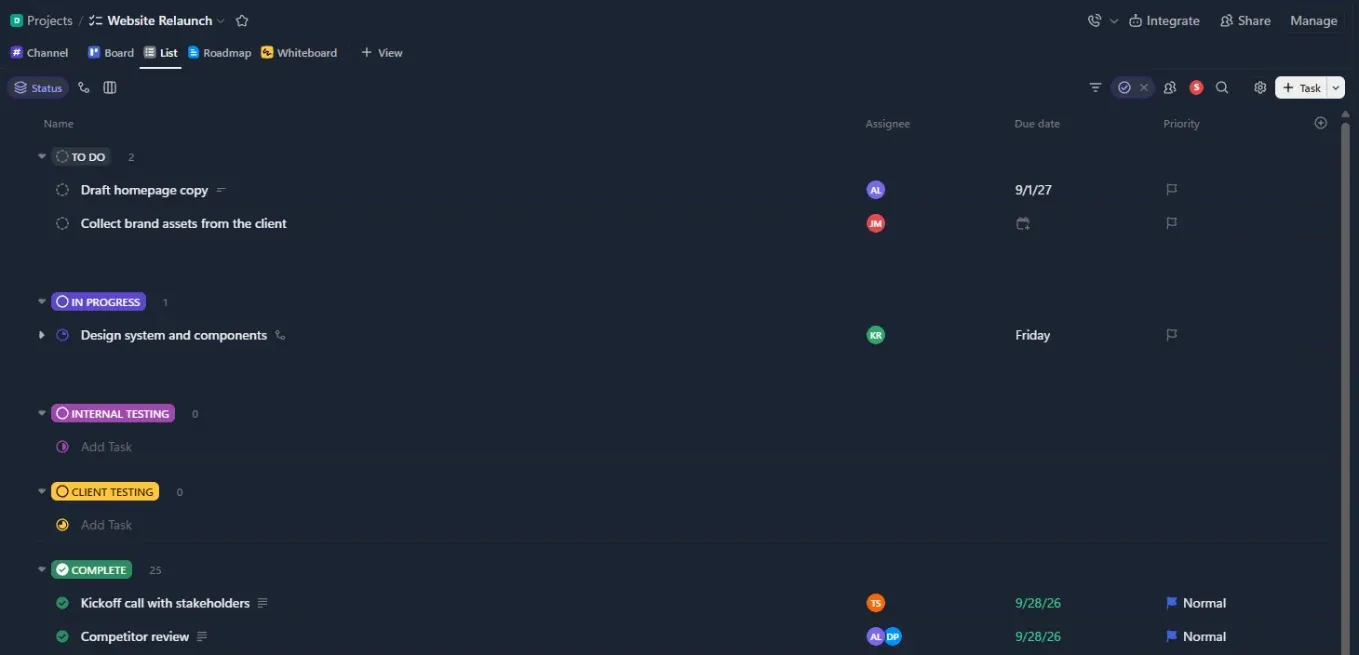
Backgrounds that follow your ClickUp theme, your own text size, and no AI or upgrade prompts.

Requested on ClickUp's feedback board · 658 votes
A ClickUp list view on a dark navy background chosen in Toolkit for ClickUp

Relationship summaryPro

How far along, at a glance

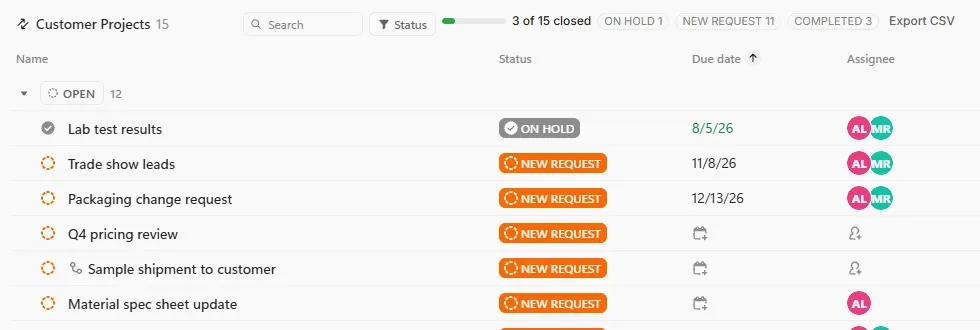
A progress bar and a count per status above every relationship table, plus CSV export.

A relationship table with a progress bar reading 3 of 15 closed, a count for each status and an Export CSV link

Reply threadsPro

Replies without opening the thread

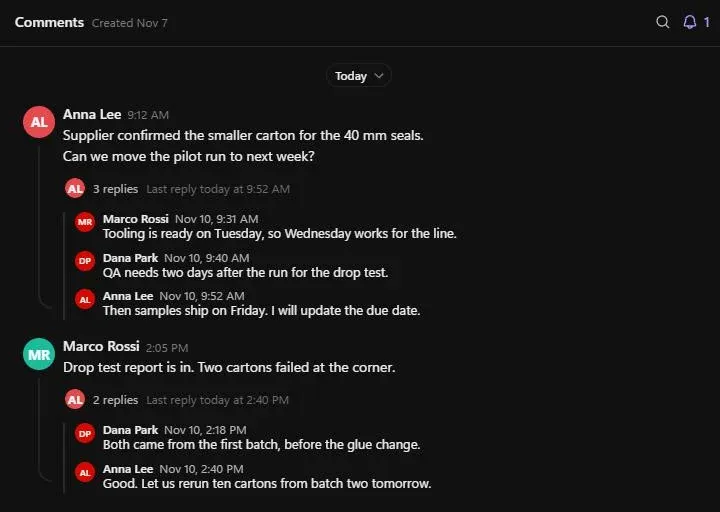
Every reply sits right under its task comment, and nothing is marked as read.

Requested on ClickUp's feedback board · 761 votes
Two task comments in ClickUp, each with its replies listed underneath: author, time and text

ChatPro

A conversation reads in one pass

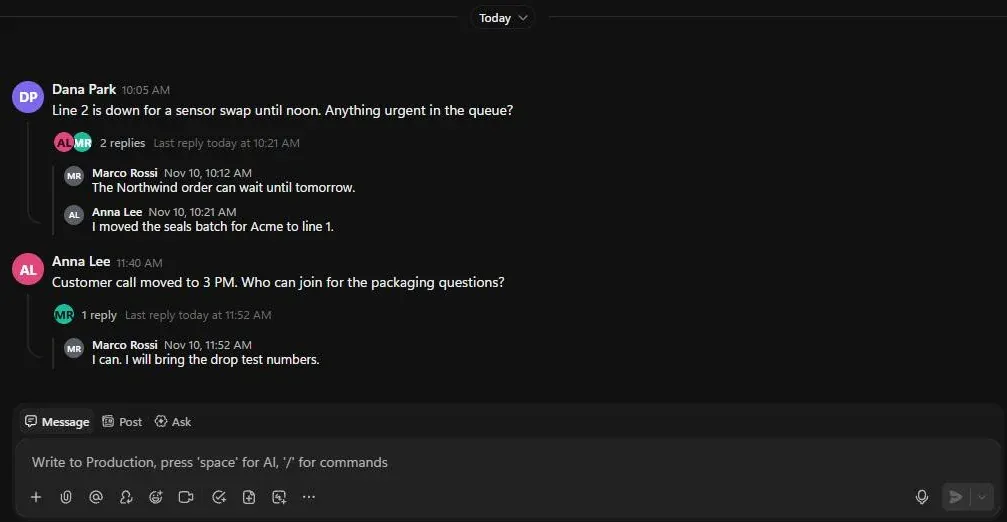
Replies under each message in channels and direct messages.

A ClickUp chat channel where two messages show their replies underneath, above the message box

List viewPro

Read the task without opening it

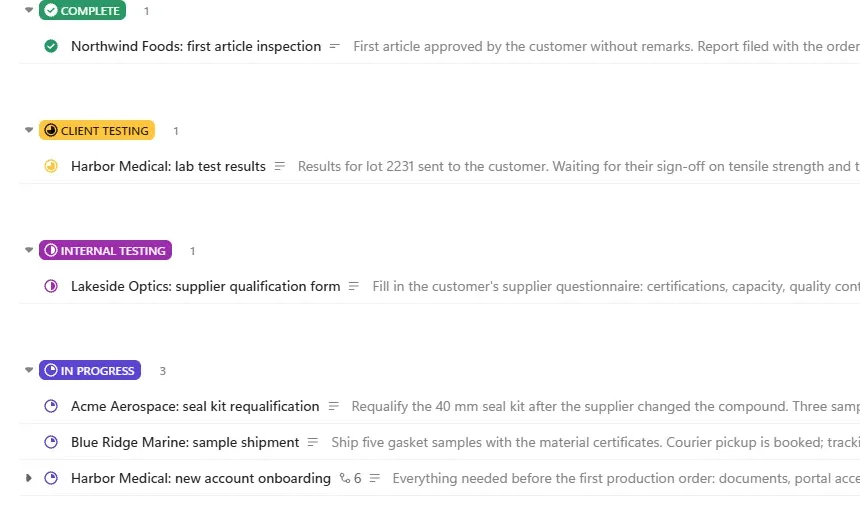
The start of every description sits next to the task name, right in List view.

Requested on ClickUp's feedback board · 1,044 votes
A ClickUp List view where every task name is followed by the start of its description in grey

Filter formulaPro

Filters with and, or, not

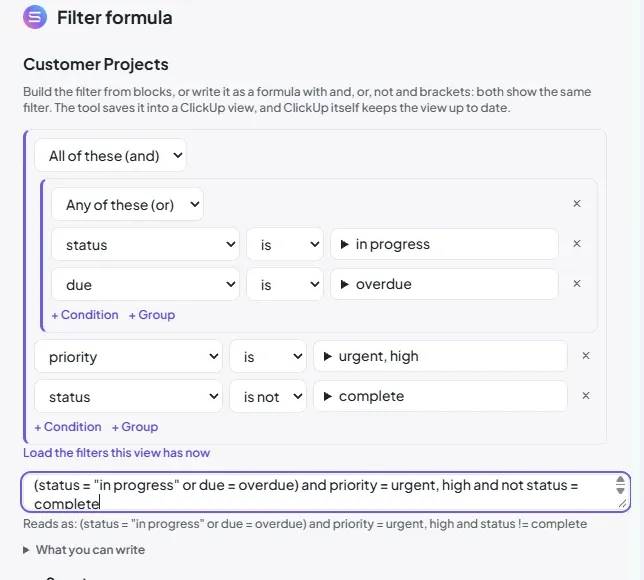
Build the filter from blocks or write it as text, then save it into a ClickUp view that stays live.

Requested on ClickUp's feedback board · 1,882 votes
The Filter formula tool with an "any of these" group inside an "all of these" group, and the same filter written as text

Export to PDFPro

A list or view, ready to print

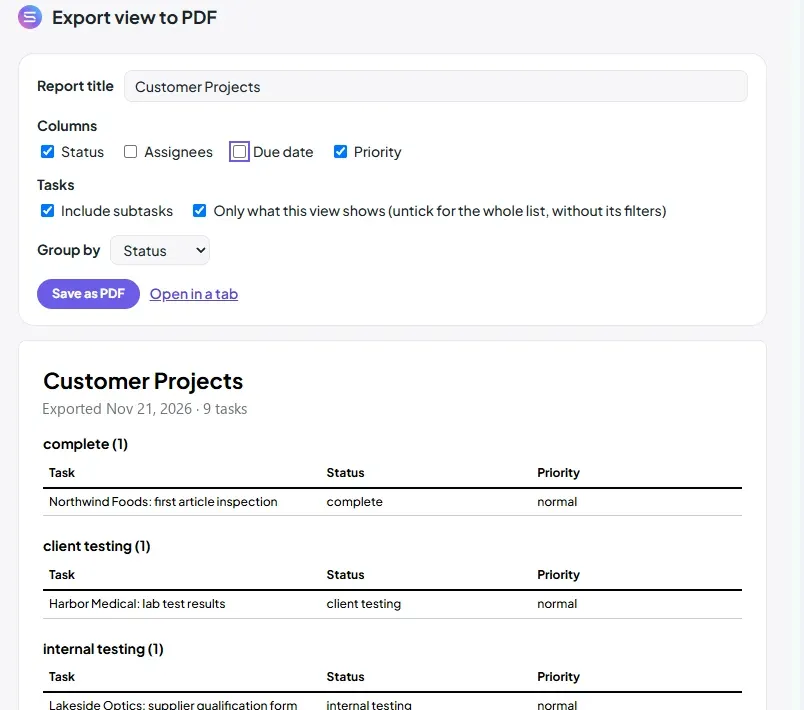
Pick the columns and the grouping, check the preview, and save the view as a PDF with its filters applied.

Requested on ClickUp's feedback board · 1,200 votes
The Export view to PDF tool with column options and a preview of the report grouped by status

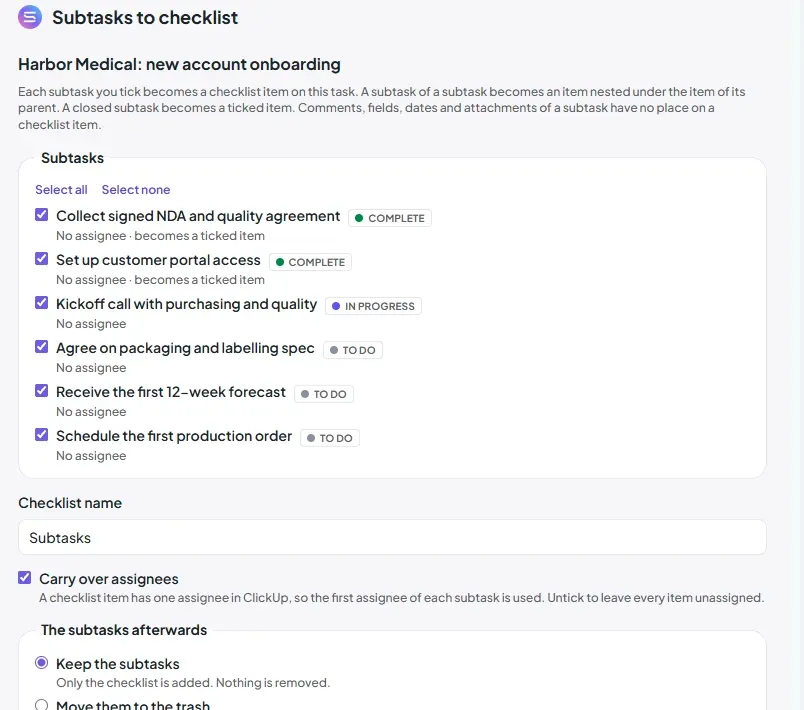
Subtasks to checklistPro

Subtasks into a checklist, in one go

Tick the subtasks, name the checklist, and decide whether the subtasks stay or go to the trash.

Requested on ClickUp's feedback board · 1,772 votes
The Subtasks to checklist tool with six subtasks ticked and the checklist name filled in

Why we built it

Built by people who set up ClickUp for a living

We read ClickUp's public feature request board and built what teams keep asking for.
Illia Shevchenko, System Integrators

Safe to try

  • Nothing in your ClickUp changes unless you ask
  • Your ClickUp data never leaves your browser
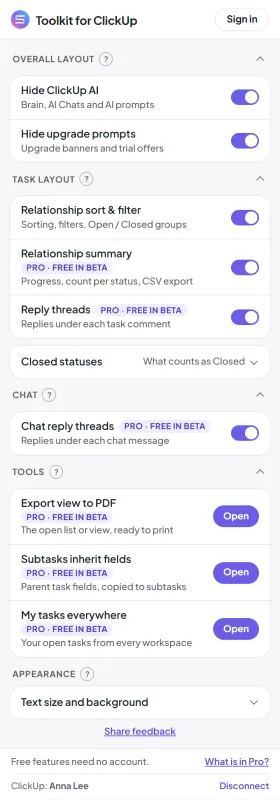
  • Every feature has its own switch
The Toolkit for ClickUp popup with a switch for each feature

Plans

Start free. Keep Pro with an account.

  1. 1Add to Chrome
  2. 2Pro is on for 14 days
  3. 3A free account keeps Pro

Toolkit

Free, no account needed

  • Sortable, filterable relationship tables
  • No AI or upgrade clutter
  • Your own colours and text size

Toolkit Pro

Free with an account during the beta

  • Progress at a glance and CSV export
  • Reply threads in tasks and chat
  • Every Pro feature we ship next
See Pro pricing

Need more than an extension?

We set up ClickUp, CRMs and custom apps for growing teams.

Talk to us about your setup

FAQ

Do I need an account?

Not for the core toolkit. Pro runs for 14 days without one, then a free account keeps it on for the whole beta.

Does it change anything in my ClickUp?

No. It only rearranges what's on your screen. Switch a feature off and ClickUp is back as it was.

Does my ClickUp data leave my browser?

No. We only keep what you type when you create an account.

Does my whole team need it?

No. It works for you even if nobody else on your team has it.

Fix the ClickUp annoyances your team lives with

Add to ChromeNo sign-up needed